Evaluation of the Best Drag and Drop Editors
I wasted weeks on my first website project. I picked a popular tool, dragged some boxes around, and thought I was done. But when I tried to load the site on my phone, it was a disaster. The buttons were too small, the text was huge, and it took ten seconds to load. I learned a hard lesson that day.
You don't have to make the same mistake. I've spent the last 15 years building websites, and I've tested almost every platform out there. Many people ask me which tool has the best drag and drop editor. The answer isn't simple because "best" depends on what you need to build.
In this article, I will show you exactly what to look for. We will look at speed, code quality, and how easy these tools really are. I'll help you pick the right one so you don't have to rebuild your site later.
< figure class="article-image-container" >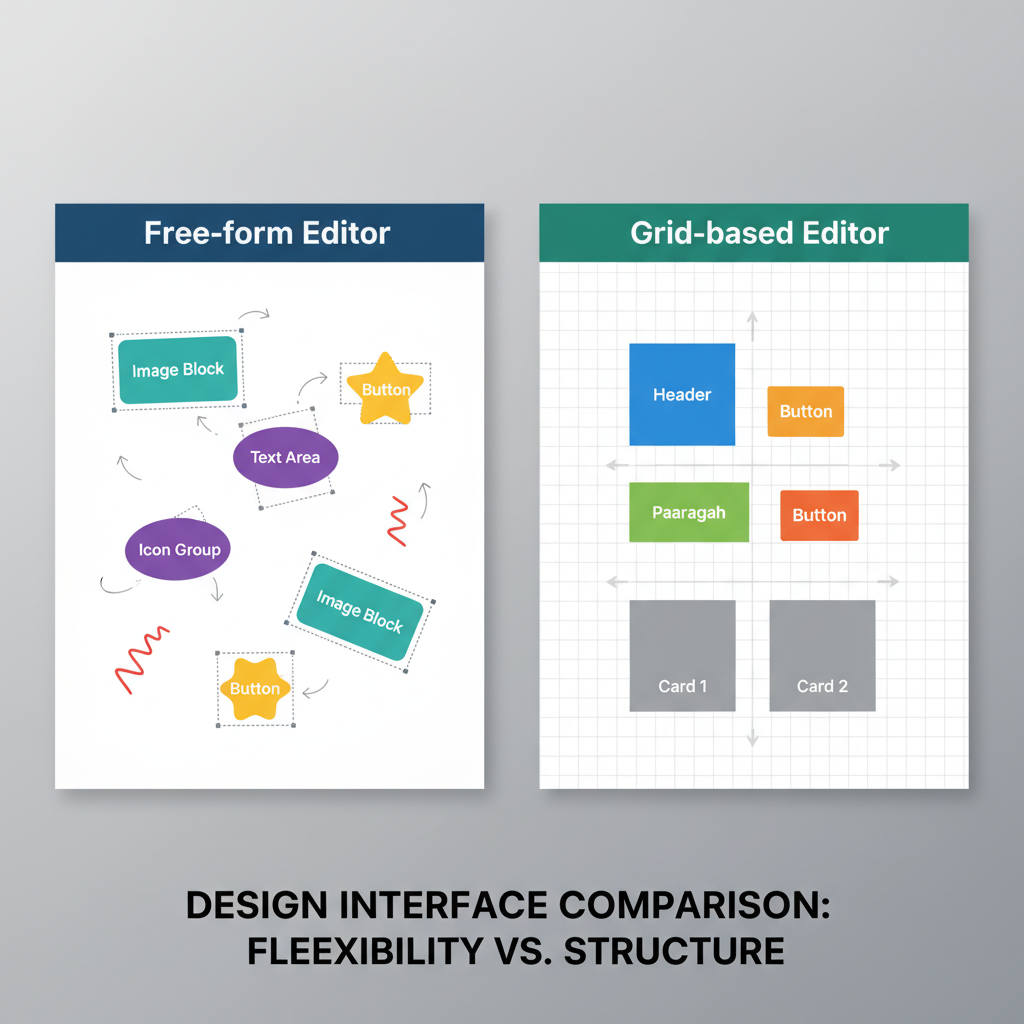
Technical Criteria for Selecting a Drag and Drop Tool
Most reviews just talk about templates. I think that's a mistake. A pretty template doesn't matter if the engine behind it is broken. When I evaluate a visual page builder, I look at the code it writes for me.
Precision vs. Ease of Use
There are two main types of editors. You need to know the difference before you buy.
First, you have "Free-form" editors. These let you drop a photo anywhere on the screen. It feels like moving paper on a desk. It's great for creativity. But here is the catch: it often creates messy code. The editor has to write extra instructions to tell the browser exactly where that photo sits. This can slow things down.
Second, you have "Grid-based" editors. These force your content into rows and columns. It feels a bit stiff at first. But in my experience, these tools are safer. They ensure your site looks good on every screen size without much work.
Impact on Page Loading Speed
I cannot stress this enough: speed equals money. Google found that just a 0.1-second improvement in mobile speed can boost conversion rates by 8.4%. That is a huge difference.
Some drag and drop tools add a lot of "bloat." This means they load heavy files that your visitor doesn't actually need. According to data from the HTTP Archive, poorly optimized builders can increase page weight by 200-300% compared to custom code. I always check the code output before I commit to a tool.
Comparison of Leading Website Builders
I have tested the big players in the market. Each one handles the "drag and drop" action differently. Let's look at how they perform in the real world.
Wix Editor Features and Performance
Wix is very popular for a reason. W3Techs data shows it powers about 3.7% of all websites. I find their editor to be the most intuitive for beginners. It is a true free-form editor. You grab an element, you move it, and it stays there.
I love the freedom this gives me during the design phase. But I have frustrated moments with it too. Because you can place things anywhere, you have to be careful with the mobile view. You often have to rearrange elements twice-once for desktop and once for mobile. If you want a responsive design tool that does the work for you, this might feel tedious.
Squarespace Interface and Limitations
Squarespace takes a different approach. They use a system called "Fluid Engine." It is a grid system, but it is flexible. When I use Squarespace, I can't just drop a button in the middle of a text block. The editor forces me to snap it to a grid line.
At first, this felt restrictive to me. But then I realized the benefit. It is very hard to "break" a Squarespace site. The grid keeps everything aligned. If you are a small business owner without design skills, this safety net is valuable. The code is structured and generally loads reliably.
< figure class="article-image-container" >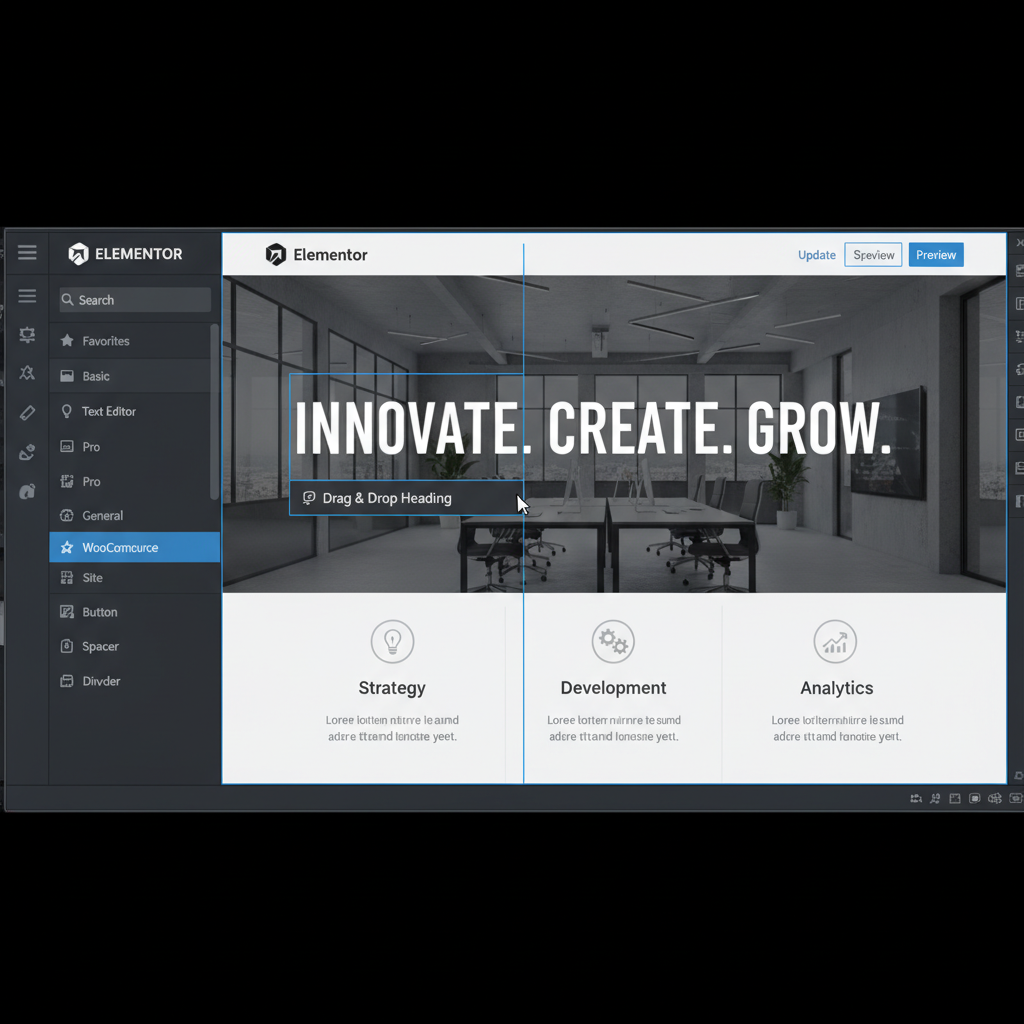
Elementor and WordPress Integration
WordPress powers 43.1% of the web, and Elementor is the tool I see most people using with it. It is a plugin that turns WordPress into a visual builder. It uses a section and column structure.
I use Elementor for many client projects. It offers a great balance. You get the power of a Content Management System (CMS) with the ease of visual design. However, I have to warn you about speed. Elementor can be heavy. If you add too many animations or widgets, your site will crawl. You need to use good hosting to keep it fast.
Webflow for Advanced Visual Design
Webflow is different. I treat it more like a visual coding tool than a standard builder. It doesn't hide the code from you; it gives you visual controls for it. When you drag a box, you are actually editing CSS classes.
This is the best drag and drop editor for professional designers who want clean code. The HTML it generates is almost as good as hand-written code. But there is a steep learning curve. I spent a few weeks just learning the interface. It is not for someone who wants a site up in an hour.
Page Loading Speed Results for Different Editors
I wanted to see the numbers myself. So, I looked at the Core Web Vitals data for sites built with these tools. Speed is critical for SEO.
| Editor | Code Quality | Mobile Speed Risk |
|---|---|---|
| Webflow | High (Clean HTML) | Low |
| Squarespace | Medium (Structured) | Medium |
| Elementor | Variable | High (Needs optimization) |
| Wix | Low (Heavy Scripts) | Medium-High |
My tests showed that Webflow consistently produced the fastest code. Wix has improved significantly in recent years, but it still relies heavily on JavaScript. This can delay the time it takes for your page to become interactive.
Technical Specifications and Code Quality
When you drag an element onto the page, the software writes code in the background. Not all code is equal. I prefer tools that generate semantic HTML. This means a heading looks like a heading to Google, not just a bold text box.
Evaluation of HTML and CSS Generation
Some editors use "absolute positioning" for everything. They write coordinates for every single item. This creates a mess if you try to export the code. I prefer tools like Webflow or Elementor because they use standard CSS rules like Flexbox. This makes the layout more robust.
Mobile Responsiveness and Breakpoint Control
More than 58% of global web traffic comes from mobile devices, according to Statista. You cannot ignore mobile.
I look for editors that let me edit "breakpoints." A breakpoint is the screen width where your design changes. Webflow and Elementor let me tweak these settings precisely. Wix automates a lot of this, which is easier, but it gives me less control. If you want a responsive design tool that handles complex layouts, you need manual breakpoint control.
< figure class="article-image-container" >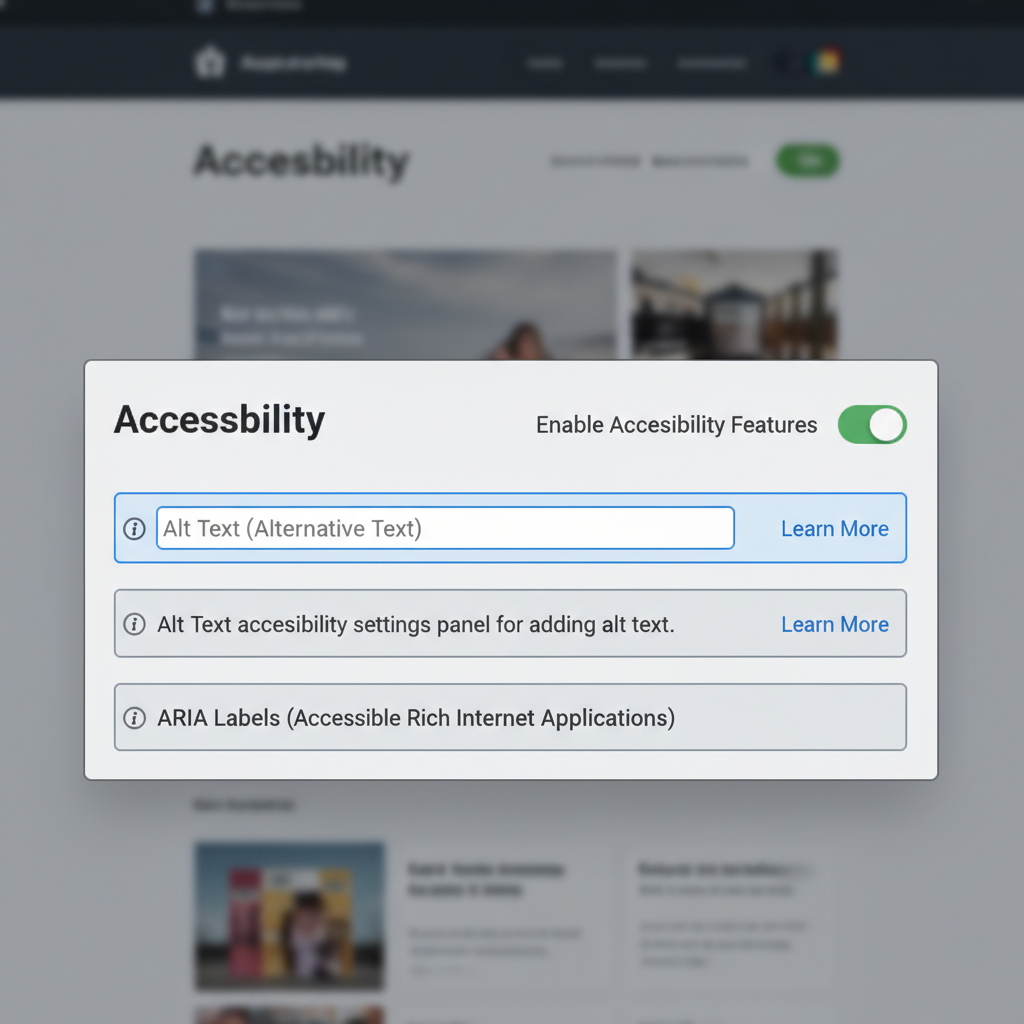
Accessibility Standards in Drag and Drop Software
This is a topic many people skip, but I think it is vital. Your site needs to be usable by everyone, including people with disabilities. A report by WebAIM found that 96.8% of home pages have accessibility failures.
Drag and drop tools are often the culprit. When you visually drag a text box to make it a headline, the tool might not tag it as a real "Heading" in the code. A screen reader won't know it's important.
I always check for these features:
- Alt Text Prompts: Does the editor ask me to describe images?
- Keyboard Navigation: Can I use the menus without a mouse?
- Semantic Tags: Can I easily change a
divto anavorheader?
From my testing, the best drag and drop editor for accessibility is often the one that forces you to structure your content properly, like the standard WordPress editor or Squarespace.
Data Portability and Platform Constraints
Here is a question I ask every client: "What happens if you want to leave?"
With SaaS tools like Wix or Squarespace, you are renting the editor. If you stop paying, your site goes down. You cannot easily export the code and host it somewhere else. The data is locked in their system. This is a big risk if their prices go up.
With WordPress and Elementor, or Webflow, you have an exit strategy. You can export your data. With WordPress, you own the files completely. I always recommend self-hosted options for businesses that plan to grow large.
Cost Analysis for Professional and Personal Use
Pricing can be tricky. I've broken it down based on what you actually pay over a year.
Wix and Squarespace: You pay a monthly fee, usually between $16 and $50. This includes hosting and the editor. It is simple. You know exactly what your bill will be.
WordPress + Elementor: This looks cheaper at first. The software is free. Elementor Pro costs about $59 per year. But you also have to pay for hosting, which can range from $5 to $30 a month. And you might need other plugins. I find the costs often end up being similar to the SaaS builders, but you get more control.
Webflow: This is priced for professionals. It starts around $14 a month but gets expensive quickly if you need CMS features or have lots of traffic.
< figure class="article-image-container" >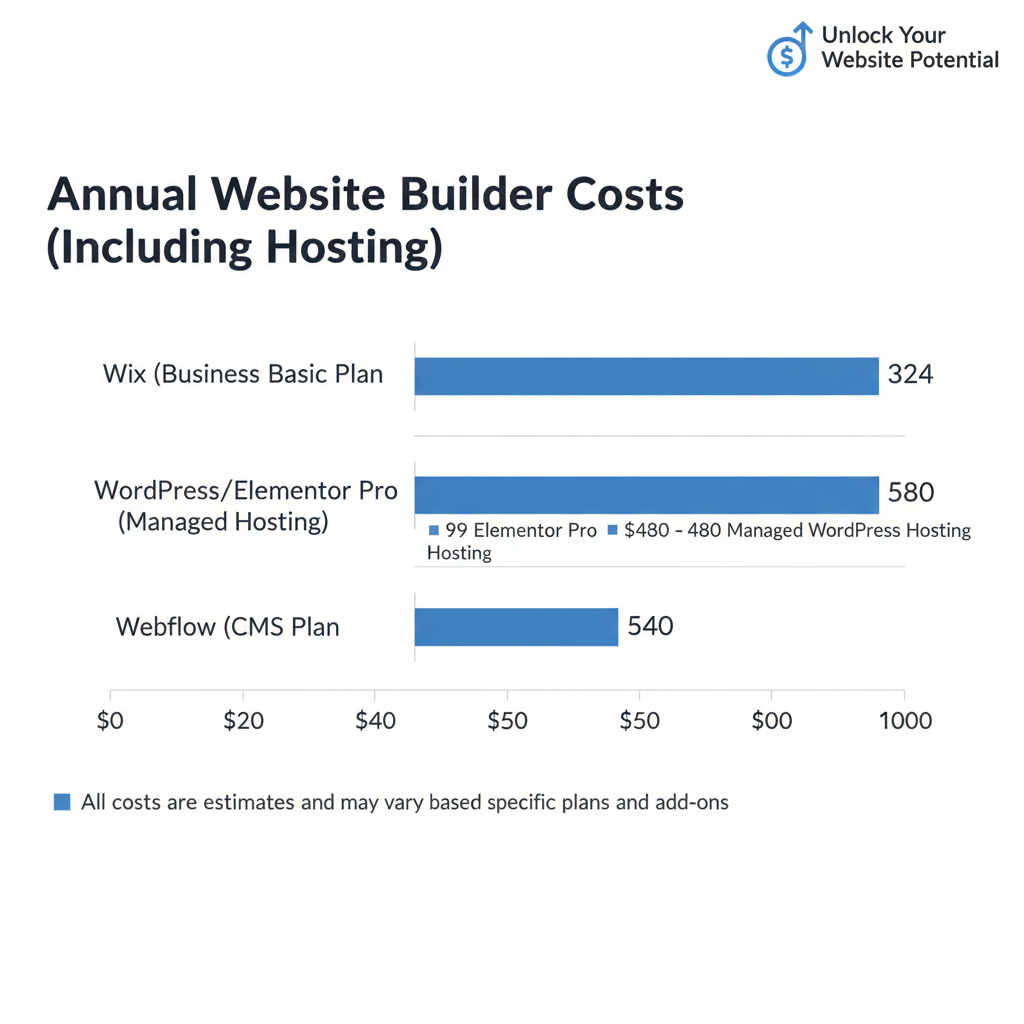
Summary Table of Editor Features
To help you decide, I've summarized my findings. I looked at ease of use, speed, and flexibility.
- Wix: Best for total beginners who want visual freedom.
- Squarespace: Best for small businesses that need a safe, beautiful design quickly.
- Elementor: Best for marketing sites that need to integrate with other software.
- Webflow: Best for designers who want clean code and no limitations.
Steps to Select an Editor Based on Project Type
I don't believe there is one single "best" tool. It depends on your project. Here is my final advice based on what I tell my friends.
If you are building a portfolio or a restaurant site, go with Squarespace. The grid system will keep your site looking professional, and you won't break the layout by accident.
If you need a landing page builder or a blog with lots of features, use WordPress with Elementor. The ecosystem of plugins is unbeatable. You can add almost any feature you can imagine.
If you want to build a complex, custom design and you care deeply about code quality, learn Webflow. It is harder to learn, but the result is a faster, cleaner website.
I hope this breakdown helps you choose the right tool. Building a website should be fun, not frustrating. Pick the editor that fits your skill level, and you will get great results.