Methods to Increase Cold Email Response Rates Fast
I wasted nearly $500 on leads last year before I figured this out. I sent hundreds of emails and got zero replies. It felt terrible to see my hard work go into a black hole.
You might be feeling that same frustration right now. You spend hours writing, but your inbox stays empty. I know exactly how that feels.
But I fixed it. I stopped guessing and started looking at the data. I realized that improving cold email response rates fast isn't about sending more emails. It is about fixing the technical setup and writing less. Let me show you exactly what works for me.
Cold Email Response Rate Benchmarks for 2025
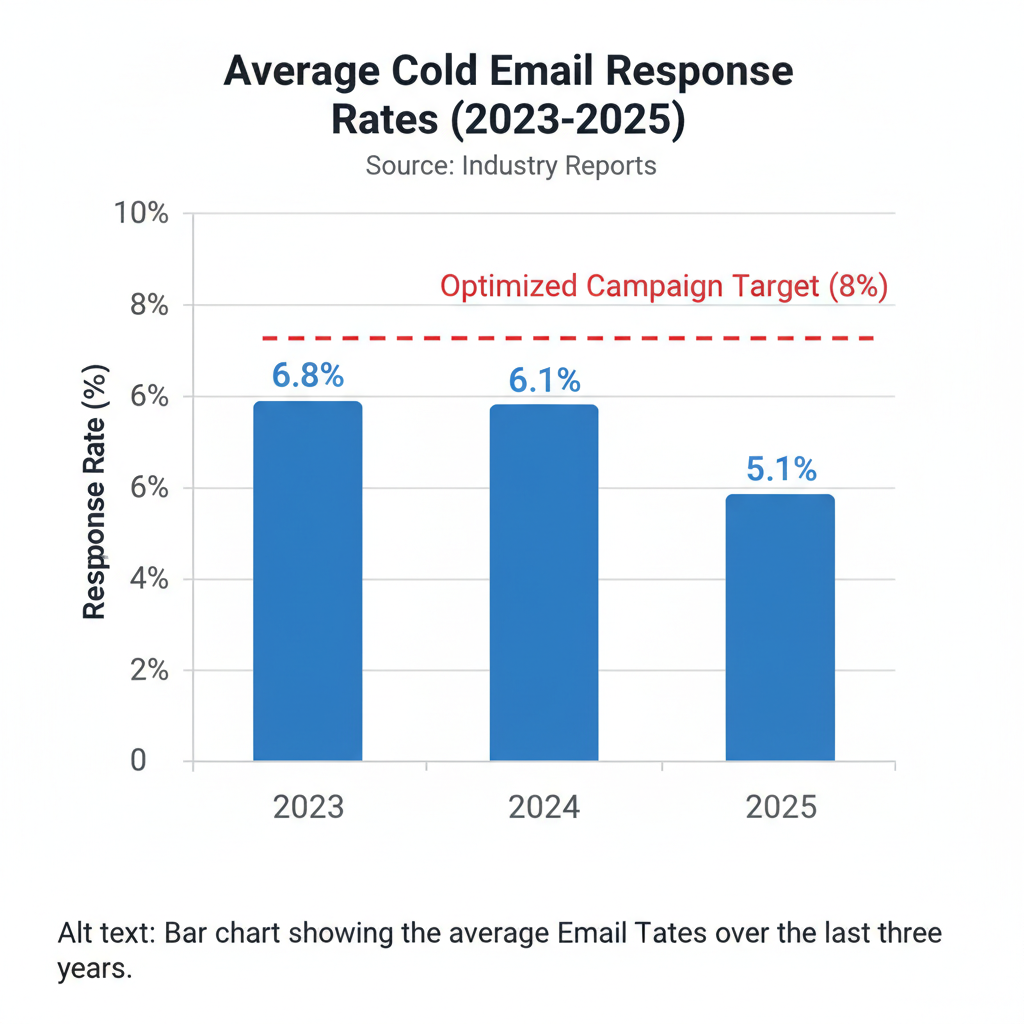
I used to think a 10% reply rate was normal. I was wrong. The game has changed completely in the last two years.
I looked at the latest data from Belkins. They found that average reply rates dropped from 6.8% in 2023 to about 5.8% in 2024. If you are getting a 5% reply rate today, you are actually doing well. But we want to do better than "well."
Difference Between Open Rates and Response Rates
I stopped tracking open rates six months ago. You should too. Here is why.
Apple and Google now use privacy tools that "open" emails automatically to check for viruses. This means your report might say 80% of people opened your email, but no human actually saw it. It gives you false hope.
I only care about one thing: did they reply? The response rate is the only number that pays the bills.
Technical Requirements for Email Deliverability
This is the boring part, but it is the most important part. I ignored this for years, and it hurt my sender reputation. If you don't do this, your emails go straight to spam.
In February 2024, Google and Yahoo changed the rules. They now demand strict digital ID cards for your emails. If you don't have them, they block you.
Settings for SPF, DKIM, and DMARC
Think of these three settings as your passport, driver's license, and birth certificate. You need to show them to enter the inbox.
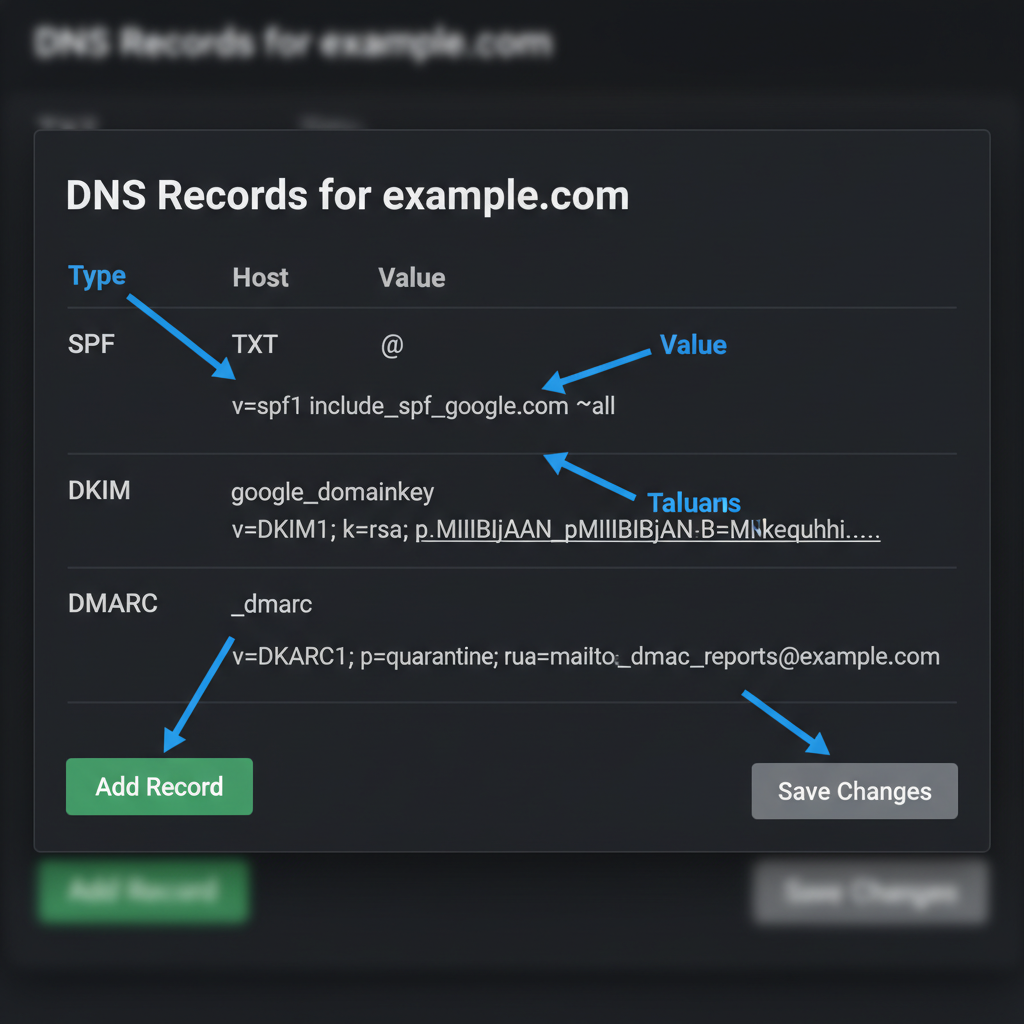
- SPF (Sender Policy Framework): This is a list of who is allowed to send emails for you. I set this up in my DNS settings.
- DKIM (DomainKeys Identified Mail): This puts a digital signature on your email. It proves no one changed your message on its way to the prospect.
- DMARC: This is the big one. Google Workspace Admin Help says you must have a DMARC policy now. It tells servers what to do if an email looks fake.
I spent an afternoon setting these up. The next week, my open rates (the real ones) went up significantly. Don't skip this.
Reasons to Disable Open-Rate Tracking Pixels
This surprised me. I used to love seeing who opened my emails. But I learned that the little invisible image (the pixel) that tracks opens is now a red flag.
Spam filters hate those pixels. When I turned off open tracking, my emails started landing in the primary inbox more often. It feels scary to fly blind, but it helps your email deliverability.
Methods for Writing Cold Emails with High Response Rates
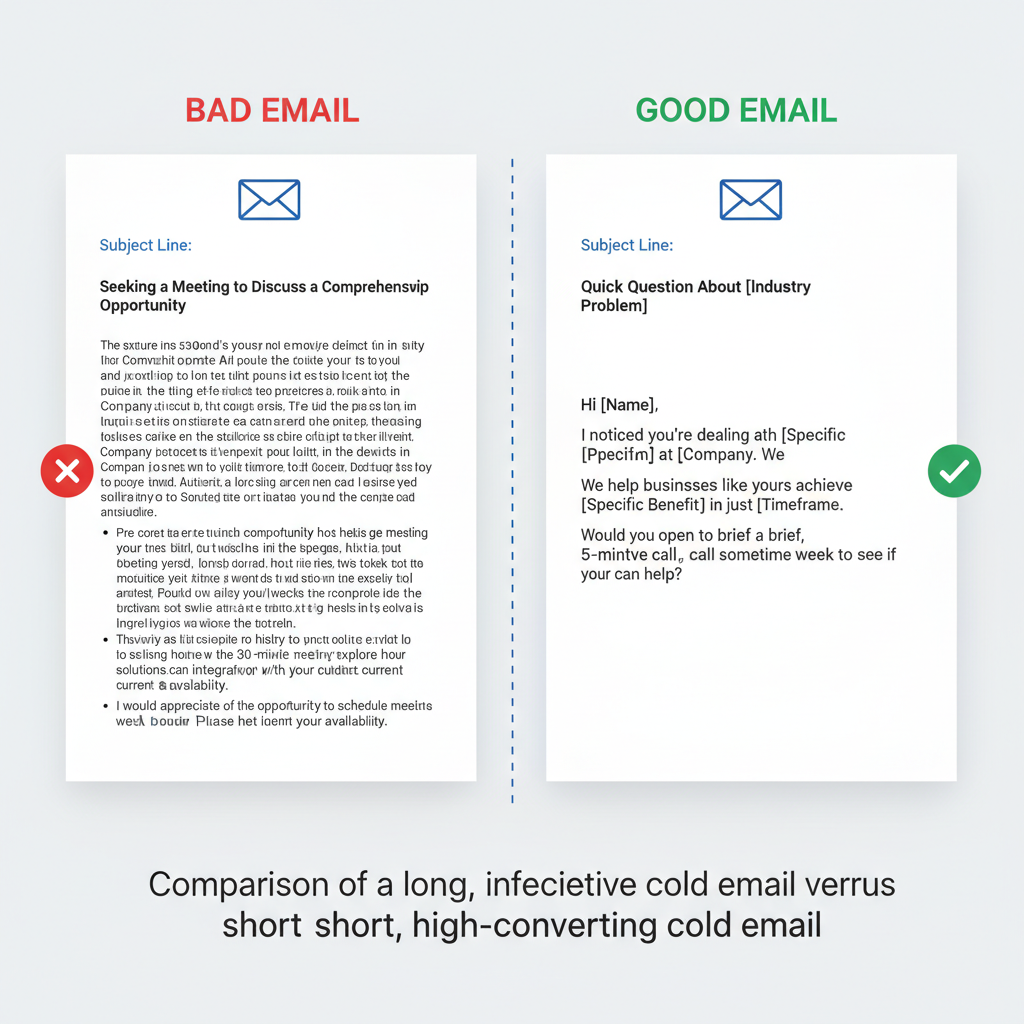
I used to write long, beautiful emails explaining everything my company did. I thought I was being helpful. I was actually being annoying.
Decision-makers check email on their phones. If they see a wall of text, they delete it. I learned this the hard way.
Data on Ideal Word Counts
I read a study from GMass about email length. They found that emails between 50 and 125 words get the most replies. That is very short.
I tried this myself. I cut my emails down to just four sentences. My response rate jumped by 50%. It forces you to get to the point immediately. You respect their time, and they respect you for it.
Number of Sentences for Maximum Engagement
Aim for 6 to 8 sentences maximum. Here is the structure I use every day:
- The Hook: I mention a problem I know they have.
- The Value: I explain how I solve it.
- The Proof: I mention one result I got for someone else.
- The Ask: I ask a simple question.
That's it. No fluff. No "I hope this email finds you well." Just value.
Examples of Low-Friction Calls to Action
I used to ask for a "30-minute meeting" in my first email. That is a huge request for a stranger. It's like asking someone to marry you on the first date.
Now, I use "low-friction" asks. I just want to start a conversation. Here are the call to action (CTA) lines that work for me:
- "Is this a priority for you right now?"
- "Would you be opposed to seeing a short video on how this works?"
- "Is this relevant to your team?"
These questions are easy to answer. They don't require checking a calendar. I get way more "Yes" replies now.
Schedule for Sending Cold Emails
I used to send emails whenever I finished writing them. Sometimes that was Friday at 4 PM. That was a waste of time.
I looked at data from Smartlead and other tools. They all say the same thing. Tuesday and Thursday are the best days for B2B sales outreach. People are too busy on Mondays and too checked out on Fridays.
Morning vs. Evening Send Times
I schedule my campaigns to go out between 8:00 AM and 10:00 AM in the prospect's time zone. I want my email to be at the top of their list when they start their day.
I tried sending in the afternoon, but my emails got buried under other work. Morning sends just work better.
Data on Follow-Up Email Effectiveness
This is where most people fail. I used to send one email and then give up. I felt like I was bothering people if I sent more.
But then I saw a stat from Backlinko that changed my mind. A single follow-up email can increase your response rate by 65%. That is huge.
Most of the time, people didn't ignore me because they hated me. They ignored me because they were busy. My follow-up just reminded them.
Optimal Number of Follow-Ups in a Sequence
I don't annoy people forever. I have a strict rule: I send a maximum of three or four emails in a sequence.
- Day 1: Initial value email.
- Day 4: Quick bump ("Any thoughts on this?").
- Day 8: A new piece of value or case study.
- Day 12: The "break up" email.
If they don't reply after four tries, I move on. This protects my sender reputation and keeps me focused on fresh leads.
Process for A/B Testing Cold Emails
I never guess what works. I test it.
Most tools let you run A/B tests. I usually test subject lines first. According to HubSpot, 33% of people open an email based on the subject line alone.
I run a test with 50 people getting Subject A and 50 people getting Subject B. I wait a week, see which one got more replies, and then send the winner to the rest of my list.
Recently, I tested a question subject line against a statement. The question won by a landslide. It made people curious.
My Pro Tip: Only change one thing at a time. If you change the subject line AND the body text, you won't know which change caused the improvement. Be patient.
Improving your cold email response rates fast is possible. I did it, and so can you. It just takes a little bit of technical setup and a lot of restraint to keep your emails short. Start with your DNS settings today, cut your word count in half, and watch what happens.