How to Build a Lead Magnet for Email List Growth
I remember the first time I created a lead magnet. I spent three weeks writing a 40-page PDF guide. I thought it was a masterpiece. I put it on my landing page, ran some ads, and waited. The result? Almost nothing. I wasted time and money because I didn't understand what my audience actually wanted.
You might feel the same way right now. You know building a lead magnet that grows lists is important, but the old methods aren't working. You aren't alone in this frustration. According to ViB Tech data from 2024, 41% of B2B marketers say generating leads is their biggest challenge. The game has changed.
I've learned that people don't want more files to read. They want solutions. In this article, I will show you exactly how to build an incentive that people actually want to download. I'll cover the technical setup, new privacy rules, and the formats that are working right now.
Definition and Purpose of Lead Magnets
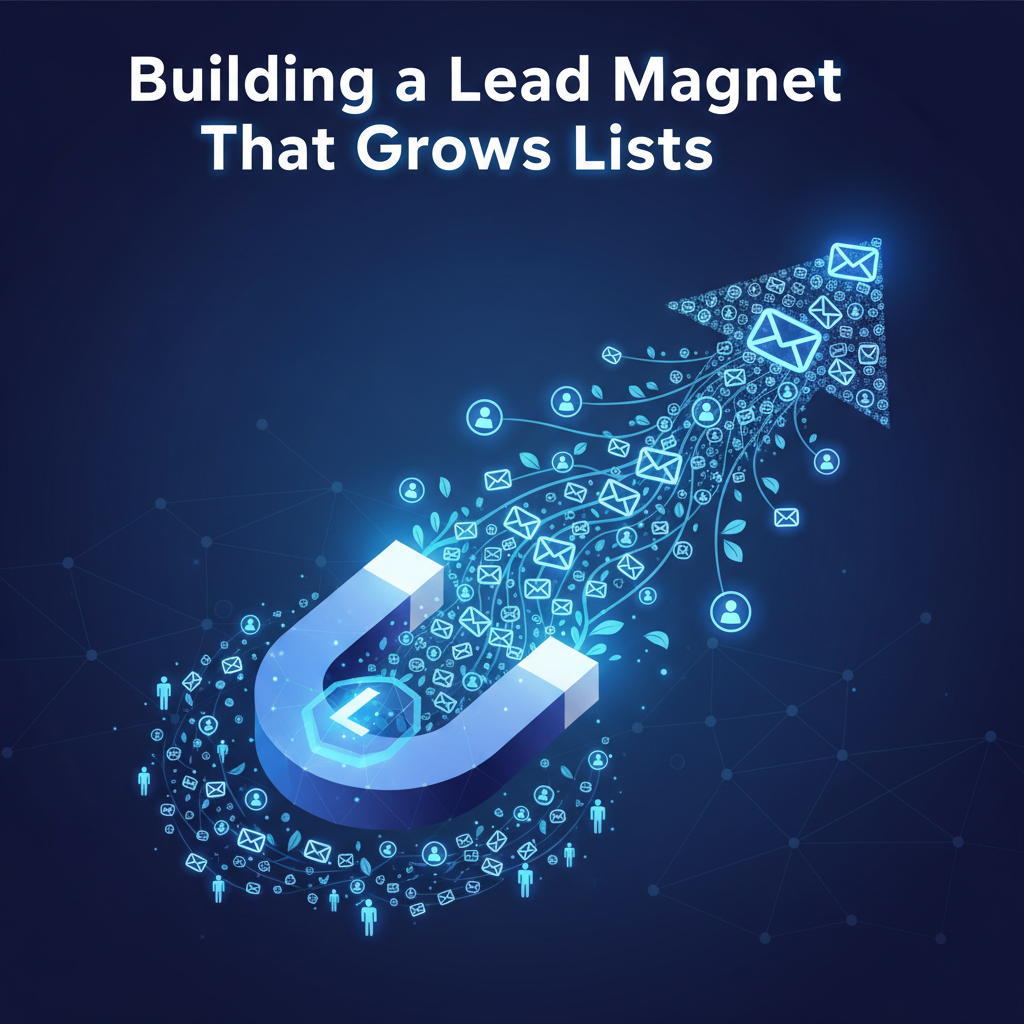
Let's keep this simple. A lead magnet is a trade. You offer something specific and valuable, and a visitor gives you their email address in return. It is the first step in a relationship. I like to think of it as a handshake.
In the past, we relied on third-party cookies to track people. Those days are ending. Now, owning your list is the only safe way to talk to your audience. This is called "first-party data." When you collect an email address directly, you own that connection. No algorithm can take it away from you.
But there is a catch. The trade must feel fair. If you ask for an email address but deliver low-quality content, you break trust immediately. I've seen unsubscribe rates skyrocket because the lead magnet didn't solve a real problem. The goal isn't just to get the email; it is to prove you can help them.
Types of Lead Magnets for Higher Conversion Rates
I used to think eBooks were the gold standard. I was wrong. Recent data shows that static content is dying. HubSpot reported in 2024 that eBook conversion rates have dropped below 0.9%. That is less than one person for every hundred visitors. We can do better.
Here are the four formats I use now because they actually work.
Interactive Tools and Calculators
People love to learn about themselves or their specific situation. That is why calculators work so well. I added a simple ROI calculator to a client's site last year, and conversions doubled overnight. AWeber's 2025 research backs this up. They found that interactive tools convert 70% better than PDF downloads.
Think about it. Would you rather read a guide on "How to Calculate Budget" or use a tool that says "Type in your numbers, and I'll tell you your budget"? The tool offers instant gratification.
Assessment Quizzes and Surveys
Quizzes are my favorite tool for list building. They are fun, fast, and personal. A study by Amra & Elma in 2025 showed that quiz lead magnets capture information from 20% to 40% of users. That is massive compared to the 1% for eBooks.
I also use quizzes to segment my list. If someone takes a quiz about "What type of marketer are you?", their result tells me exactly what content to send them later. It helps me send better emails.
< figure class="article-image-container" >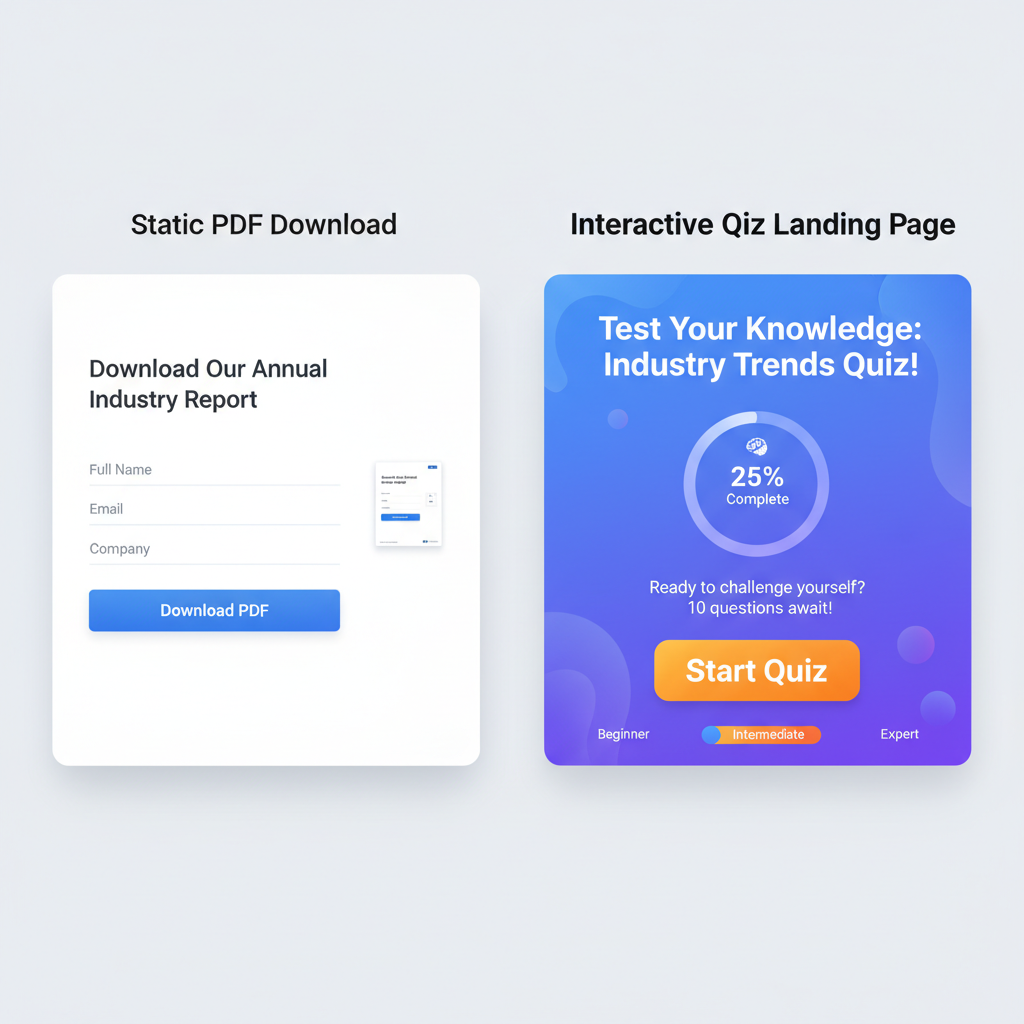
Short Form Video Content
I noticed something interesting in my own habits. I rarely read long guides on my phone. I watch videos. Your audience is likely the same. Salesfully reports that 58% of lead magnet interactions now happen on mobile devices.
A short, exclusive video course works wonders. It feels like high value because it is personal. You are teaching them directly. GetResponse data from 2024 suggests that video incentives get higher conversion rates for 73% of marketers.
Resource Checklists and Templates
Sometimes, people just want to get a job done. They don't want to learn the theory; they want the steps. This is where checklists shine. They offer a "micro-win."
I created a simple "Blog Post Checklist" for my team. We turned it into a public lead magnet, and it converted at 34%. That aligns with findings from Focus Digital. If you can help someone save time in five minutes or less, they will gladly give you their email.
Steps to Design a Lead Magnet
Designing a magnet isn't just about making it look pretty. It's about psychology. I follow a strict process to ensure my magnets convert.
Identifying the Needs of the Target Audience
I start by looking at what people are asking. I don't guess. I use tools to look for "long-tail keywords." These are specific phrases people type into Google. Instead of targeting "marketing," I look for "how to fix email open rates."
The more specific you are, the better. A lead magnet that tries to save the world fails. A lead magnet that solves one annoying headache wins every time.
Creating Content That Solves a Specific Problem
I have a rule for my content: The user must get value within 5 minutes of downloading. If they have to read 20 pages to find the answer, I've failed.
I focus on the "gap." Where is the user now, and where do they want to be? My lead magnet is the bridge. If I promise a solution in the headline, I deliver it in the first paragraph of the download.
Formatting for Mobile and Desktop Users
I see this mistake constantly. A business creates a beautiful PDF, but it is unreadable on a smartphone. Since half your traffic is mobile, this kills conversions.
I test everything on my phone first. Here is my checklist for mobile design:
- Large Fonts: I use at least 16px font size so no one has to squint.
- Small Files: I keep downloads under 2MB so they load fast on 4G data.
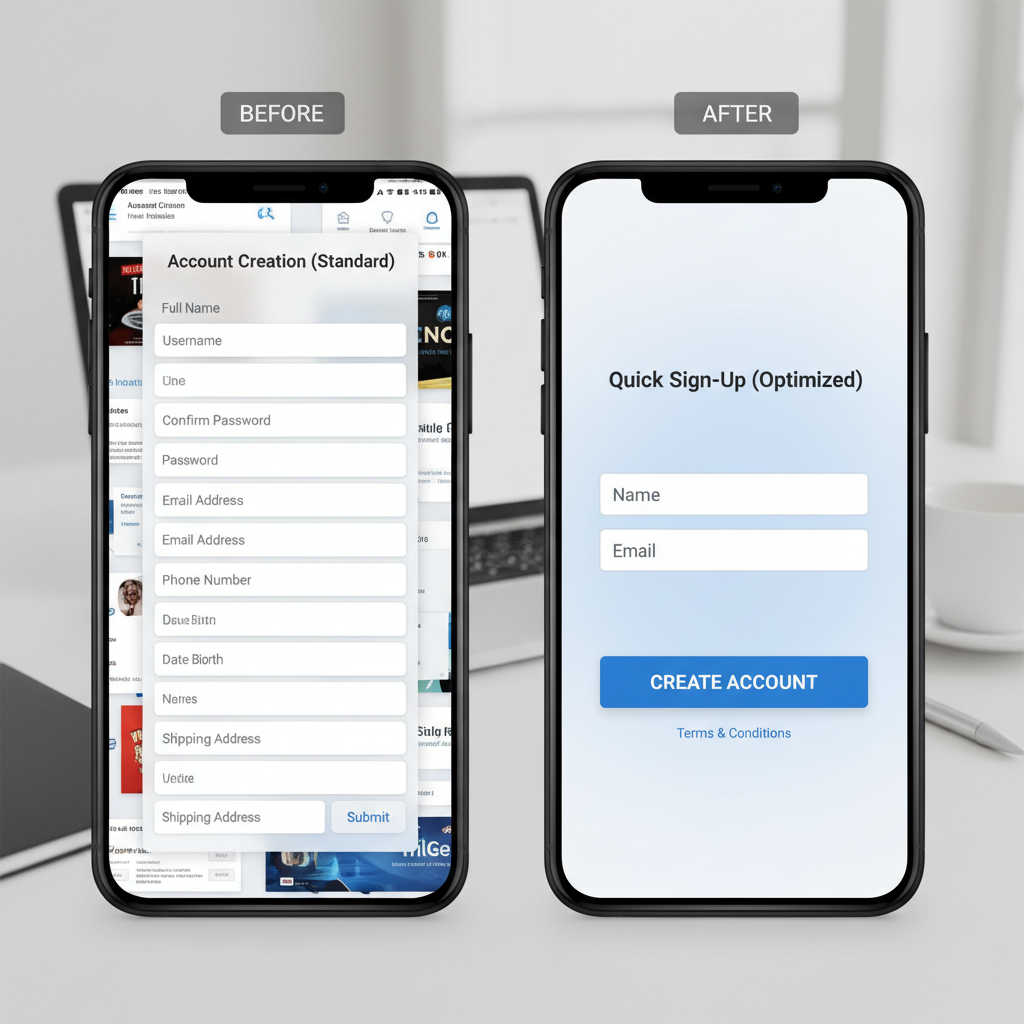
- Simple Forms: I only ask for "First Name" and "Email." Every extra field you add lowers your conversion rate.
Technical Setup for Lead Magnet Delivery
You have built the content. Now, how do they get it? I automate this entire process. If you try to send files manually, you will burn out.
Integrating with Email Marketing Platforms
You need a tool like HubSpot, Mailchimp, or Klaviyo. I connect my landing page form directly to these tools. When someone types their email, the software instantly adds them to my list.
I also use "tags." If someone downloads my "SEO Checklist," I tag them as "Interested in SEO." This helps me send them relevant emails later. I don't want to send SEO tips to someone who only cares about social media.
Setting Up Automated Welcome Sequences
The moment they click "Submit," the clock starts ticking. I set up an automated email that goes out immediately. This email contains the download link.
But I don't stop there. I use this email to set expectations. I say, "Here is your file. Tomorrow, I'm going to send you my best tip on this topic." This trains them to open my future emails. If you delay this delivery, they will forget who you are and mark you as spam.
< figure class="article-image-container" >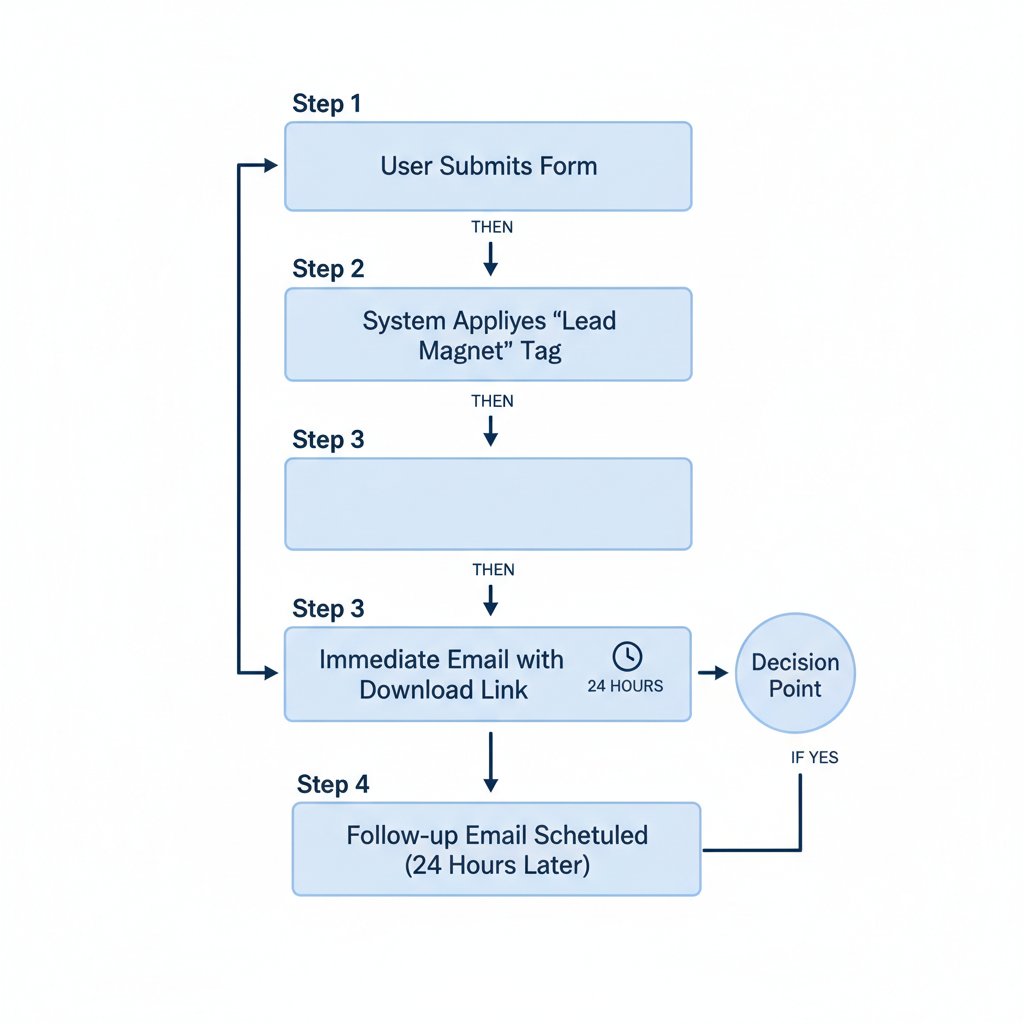
Data Privacy and Compliance Requirements
This is the boring part, but it is the most important part. I take data privacy very seriously. In 2025, you cannot ignore this.
GDPR and CCPA Regulations for Lead Capture
If you have visitors from Europe (GDPR) or California (CCPA), you have rules to follow. I always include a clear checkbox on my forms. It says, "I agree to receive emails."
You cannot pre-check this box. They must click it themselves. I also make sure they can unsubscribe easily. The Office of the California Attorney General requires that users can delete their data if they ask. I respect that right. It builds trust.
American Data Privacy and Protection Act (ADPPA) Standards
There is a new standard gaining traction called the ADPPA. It focuses on "data minimization." This means you should only collect what you actually need. I used to ask for company names and phone numbers. Now, I don't. I realized I didn't need that data to send a checklist.
By asking for less, I stay compliant, and I also get more leads. It is a win-win. People are protective of their data. If you ask for too much, they leave.
Methods for Measuring Lead Magnet Performance
How do you know if your magnet is working? I track numbers religiously. You can't improve what you don't measure.
Conversion Rate Tracking
I aim for a conversion rate of 20%. The industry average is around 18% for lead magnets, according to Amra & Elma. If my page is converting at 5%, I know something is wrong.
I usually test the headline first. I found that changing just three words in a headline can increase conversions by 10%. I also test the button color and the image. Small changes make a big difference.
Cost Per Lead Calculation
If you are running ads, you need to know your Cost Per Lead (CPL). I calculate this by taking my total ad spend and dividing it by the number of leads I got.
I found that distributing my magnets across multiple channels lowers this cost. Focus Digital reports a 31% reduction in costs when you use email, social media, and SEO together. I post my lead magnets everywhere to get the best return on my effort.
Frequently Asked Questions
What is the best lead magnet to grow an email list?
In my experience, interactive tools like quizzes and calculators work best right now. They engage users and provide instant, personalized value.
How do I create a lead magnet for free?
You don't need expensive software. I use Google Docs to write checklists and Canva to design simple graphics. The value comes from your knowledge, not the budget.
How do you deliver a lead magnet after signup?
I always use an automated email sequence. As soon as they sign up, my email provider sends them a message with the download link. It is fast and reliable.
Do lead magnets still work for list building?
Yes, but only if they are specific. Generic "newsletters" rarely work anymore. You must offer a solution to a specific problem to get the signup.